











SysInfo MDB File Reader for Windows
- Demo
- 4.51
- V20.0.0
Download for Windows
View an ad to download for free
Open & View Microsoft Access MDB Files for Free
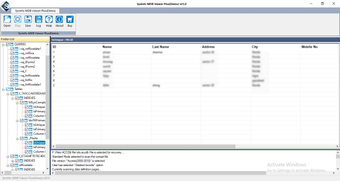
SysInfo MDB Viewer is a free Windows application that allows users to open, view, and analyze Microsoft Access Database (.MDB) files without requiring Microsoft Access. Whether you need to inspect database tables, verify records, or examine database objects, this standalone utility provides a fast and secure solution for accessing MDB files while preserving the original database structure.
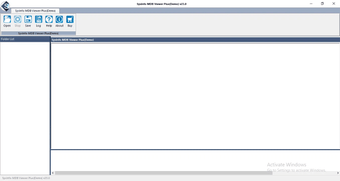
The software is designed for database administrators, developers, IT professionals, students, and business users who need to view Access database files without purchasing Microsoft Access. With its simple interface and advanced scanning engine, users can quickly load MDB files and browse tables, records, forms, queries, indexes, and other database components in an organized manner.
One of the standout features of SysInfo MDB Viewer is its ability to process both healthy and corrupted MDB files. The built-in intelligent scanning technology analyzes damaged databases and displays recoverable information whenever possible. This makes the software useful for database troubleshooting, data verification, forensic investigations, and recovery planning.
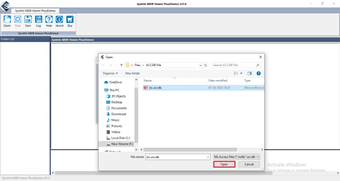
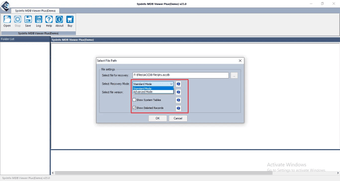
Unlike many database viewers, SysInfo MDB Viewer works as a standalone application. There is no need to install Microsoft Office or Microsoft Access to access database files. Simply select the MDB file, perform the scan, and preview the database contents within a few clicks. The software ensures that the source database remains completely unchanged during the viewing process.
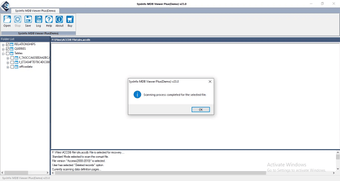
The application maintains the original database hierarchy and allows users to browse different database objects with ease. Its lightweight design ensures smooth performance even when working with large Microsoft Access database files. Whether you're checking archived databases, validating business records, or examining old Access files, SysInfo MDB Viewer offers a reliable and user-friendly experience.
Key Features
Free Microsoft Access MDB file viewer.
Open and read MDB database files without Microsoft Access.
Preview tables, records, forms, queries, macros, and indexes.
Supports healthy, damaged, and corrupted MDB files.
Advanced scanning technology for inaccessible databases.
Preserves the original database structure and integrity.
Simple and intuitive user interface.
Fast database loading and preview.
Standalone software with no additional dependencies.
Compatible with all major Windows operating systems.
Why Download SysInfo MDB Viewer?
If you're searching for a free MDB Viewer, Microsoft Access Database Viewer, MDB File Reader, Access Database Opener, or MDB Viewer for Windows, SysInfo MDB Viewer is an excellent choice. It enables you to inspect Access database files safely without modifying the original data, making it ideal for database analysis, auditing, troubleshooting, migration preparation, and educational purposes.
Whether you are an IT professional managing databases, a developer reviewing application data, or a user trying to access an old Microsoft Access database, SysInfo MDB Viewer provides a secure, lightweight, and efficient solution for opening and viewing MDB files without Microsoft Access.
Loading…
App specs
License
Demo
Version
20.0.0
Latest update
Platform
Windows
OS
Windows 3
Language
English
Size
2.10 MB
Developer
- SysInfoTools
- More programs (7)
SysInfo MDB File Reader for PC
- Demo
- 4.51
- V20.0.0
Download for PC
View an ad to download for free
User reviews about SysInfo MDB File Reader
Have you tried SysInfo MDB File Reader? Be the first to leave your opinion!
Add reviewTop downloads Utilities & Tools for Windows
Top downloads Utilities & Tools for Windows
Top downloads Utilities & Tools for Windows
Related topics about SysInfo MDB File Reader
Latest articles

TikTok’s U.S. security chief testifies September 15: first public testimony since restructuring

Google releases Gemini 3.5 Flash Cyber: a lighter AI to fix flaws faster

Game of Thrones: Conquest adds Rebellion PvP finale: play now
Fairlife hit by ransomware: Anubis threatens to leak 1 TB of data

Google Meet gets a new hub: notes, files and recordings
Laws concerning the use of this software vary from country to country. We do not encourage or condone the use of this program if it is in violation of these laws. Softonic may receive a referral fee if you click or buy any of the products featured here.